If you split rent, pay a babysitter, or send your cousin gas money, you have probably wondered whether Cash App fees quietly eat into every dollar you move. In 2026, both Cash App and Venmo are free for the everyday stuff, but the moment you want money faster or dip into a card balance, the pricing changes fast. This breakdown of Cash App fees explains exactly when you pay, how much, and how to keep more of your own cash in your pocket.
What are the real Cash App fees in 2026?
The core promise of Cash App is that sending and receiving money between friends is free when you fund it from your Cash App balance or a linked bank account. That part has not changed.
The costs appear at the edges. Fund a payment with a credit card and you pay a 3% surcharge. Want your money in your bank account right now instead of in one to three business days? An instant transfer runs 0.5% to 1.75%, with a small minimum fee.
Buying Bitcoin or stock inside the app also carries spreads and volatility-based charges. None of these are hidden, but they are easy to trigger by accident when you tap the wrong funding source.
Cash App vs Venmo: a side-by-side fee table
Both apps grew out of the same peer-to-peer idea, so their pricing looks similar on paper. The differences show up in the details, especially around instant cash-outs and card usage.
| Action | Cash App | Venmo |
|---|---|---|
| Send from balance or bank | Free | Free |
| Send using a credit card | 3% | 3% |
| Standard cash-out to bank | Free (1-3 days) | Free (1-3 days) |
| Instant cash-out | 0.5%-1.75% | 1.75% (min $0.25) |
| ATM withdrawal (no direct deposit) | $2.50 + operator fee | $2.50 + operator fee |
For a deeper, plain-English walkthrough of setup, limits, and safety settings, this hands-on Cash App guide is a useful companion to the numbers above.
How to avoid paying Cash App fees
Most fees are optional if you plan a step ahead. The trick is matching how you fund and withdraw money to how quickly you actually need it.
- Link a bank account or debit card and set it as your default funding source instead of a credit card.
- Use the free standard cash-out when you do not need the money the same day.
- Set up direct deposit to unlock free in-network ATM withdrawals.
- Keep a running Cash App balance so small payments never touch a card at all.
- Double-check the funding source on the confirmation screen before you hit send.
When is an instant transfer actually worth it?
Speed has a price, but sometimes that price is fair. If your rent is due today and a late fee is $50, paying a dollar or two for an instant transfer is an easy call.
For routine transfers, though, the free option almost always wins. Ask yourself a simple question: would waiting one business day cause a real problem? If the answer is no, take the free route.
A quick decision routine
Here is a short sequence I use before every cash-out to decide whether to pay for speed:
- Check the due date of whatever the money is for.
- Confirm whether a late penalty applies before tomorrow.
- Compare that penalty to the instant-transfer fee.
- Choose instant only when the fee is smaller than the penalty.
- Otherwise, select standard and move on.
Are peer-to-peer payment balances protected?
This is where many users get a false sense of security. Money sitting in a payment app is not automatically insured the way a bank account is, and consumer regulators have warned about it directly.
The Consumer Financial Protection Bureau’s analysis of mobile payment apps notes that stored balances may lack federal deposit insurance unless the funds are swept into a partner bank. The practical takeaway is simple: treat a payment app as a place money passes through, not a place it lives.
For larger sums, move the balance to an insured checking or savings account. Keep only what you plan to spend soon inside the app itself.
Building smarter habits with your payment apps
Fees are only one slice of financial health. The same discipline that helps you dodge a 3% surcharge also helps you budget, save, and avoid overdrafts elsewhere.
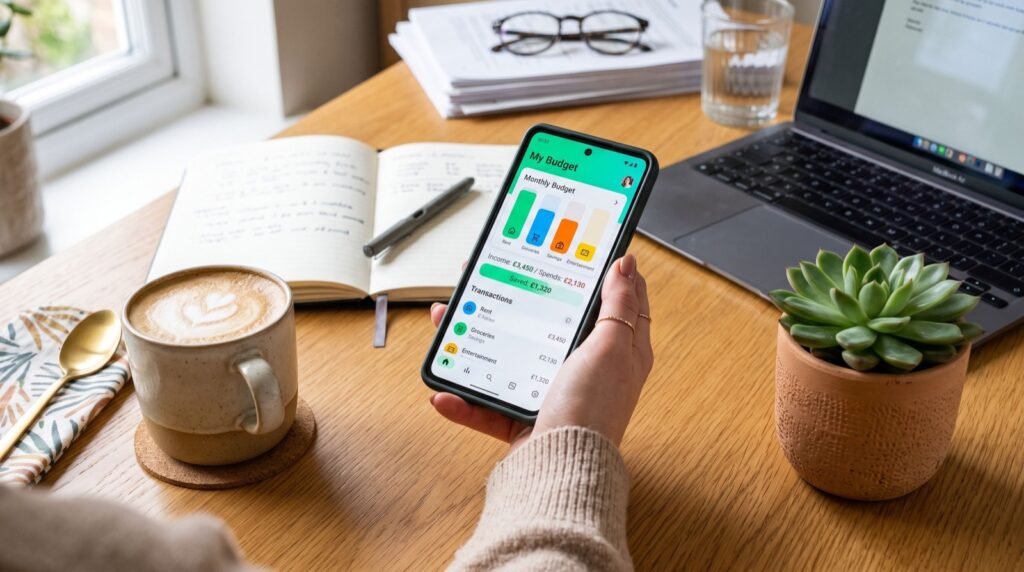
If you want to level up beyond fee-dodging, exploring broader money apps for budgeting and saving can turn a few careful choices into a steady monthly habit. When you are choosing any provider or tool, lean on quality service providers and read the terms before you commit rather than after.
Do direct deposits change the fee picture?
Setting up direct deposit is one of the most underrated fee-saving moves inside a payment app. When your paycheck or benefits land directly in Cash App, you unlock perks that casual users never see.
The biggest one is fee-free withdrawals at in-network ATMs, which normally carry a $2.50 charge plus the operator’s cut. For people who pull out cash regularly, that adds up to real money across a year.
Direct deposit also tends to make funds available sooner, sometimes up to two days early depending on when your employer submits payroll. If you already receive a steady paycheck, routing it through the app can flip your relationship with fees from paying them to skipping them entirely.
A worked example
Say you withdraw cash four times a month. At $2.50 per out-of-network withdrawal, that is $10 monthly, or roughly $120 a year, gone to fees alone. Qualify for the direct-deposit ATM perk and that number can drop to zero. Small settings, meaningful savings.
Frequently Asked Questions
Is Cash App free to use?
Yes, for the most common actions. Sending and receiving money from a linked bank account or your Cash App balance costs nothing. Fees only appear for credit-card funding, instant transfers, out-of-network ATM use, and investing features.
Why did Cash App charge me a fee on a normal payment?
The usual culprit is a credit card set as the funding source, which triggers a 3% charge. Switch your default to a bank account or debit card to keep everyday payments free.
How much is a Cash App instant transfer in 2026?
Instant transfers to a linked debit card typically cost between 0.5% and 1.75% of the amount, with a small minimum fee. Standard transfers that arrive in one to three business days remain free.
Is money in Cash App insured?
A stored Cash App balance is not automatically FDIC-insured unless it is held through a partner bank arrangement. For safety, move larger amounts to an insured bank account rather than leaving them in the app.
The bottom line on Cash App fees
Cash App fees are avoidable far more often than people assume. Fund from a bank or balance, use free standard cash-outs, and reserve instant transfers for genuine emergencies, and you will rarely pay a cent. Compare that discipline against Venmo’s nearly identical pricing, keep only spending money in the app, and your peer-to-peer payments in 2026 stay as free as they were meant to be. Review your default funding source today and you may plug a leak you never noticed.